QuillBot is an AI writing and content toolkit for students, professionals, and creators. It started as a paraphrasing tool and now also offers grammar checking, tone analysis, fluency improvements, an AI chat assistant, a design studio, and a set of PDF and file-conversion utilities. The main workflow is to draft or paste text, then rewrite, correct, and polish it. From the same web app, users can also make slides, cover letters, social posts, and edited images. It is best suited to people who write often and want one place for everyday document and content tasks.
What it does
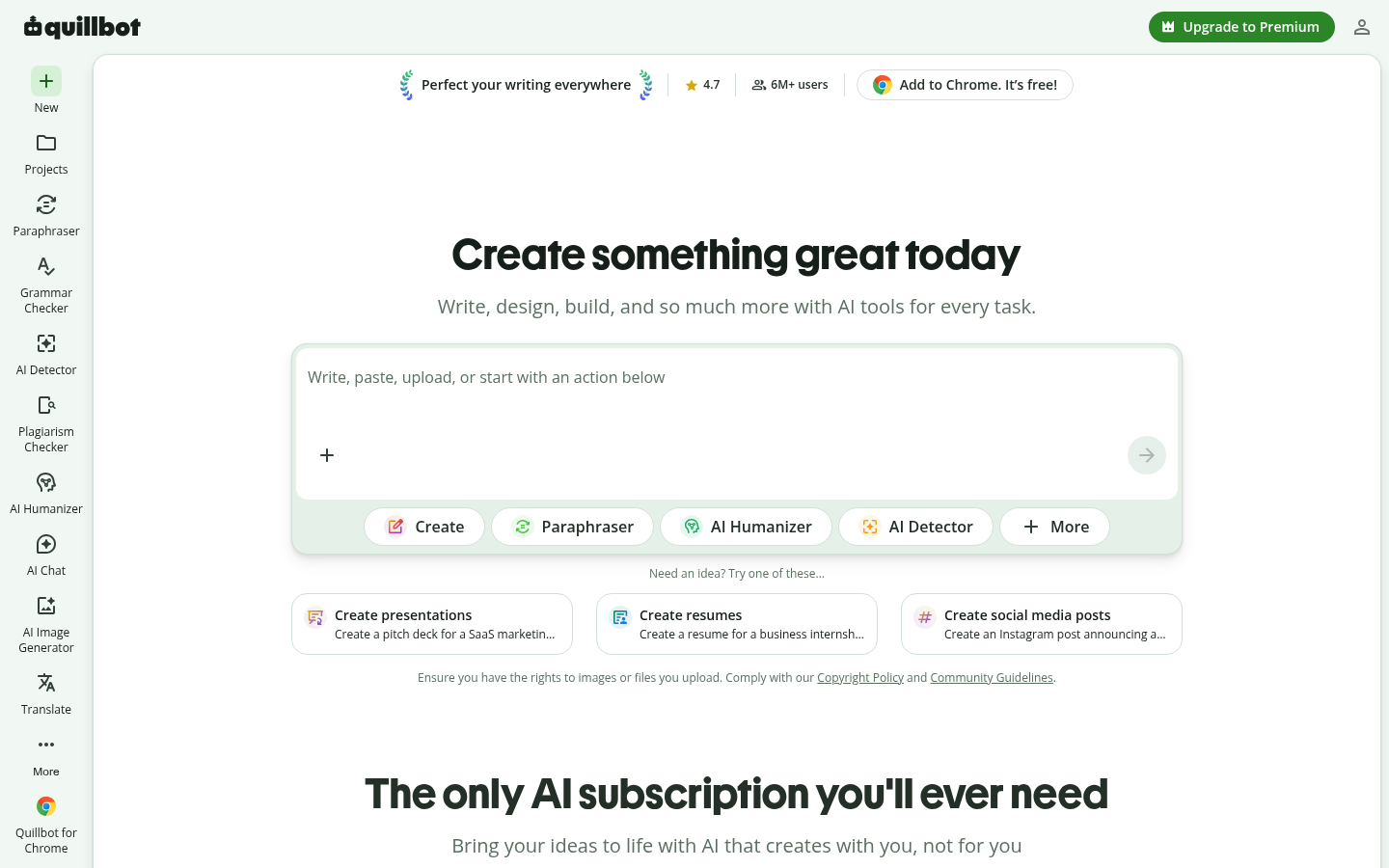
QuillBot is a browser-based AI writing assistant with more tools added around it. The homepage describes the product as a way to "Write, Design & Create." The core writing features cover paraphrasing, grammar checking, tone analysis, and fluency improvement. These tools help with common problems such as awkward phrasing, grammar mistakes, the wrong tone for an audience, and text that needs rewording.
The product is split into several workspaces. Writing Studio handles document drafting and editing. AI Chat handles conversational prompting. Design Studio covers visual content. Smaller single-task tools sit alongside these, including a cover letter generator, a social media post writer, and a slide presentation maker. Typical uses include rewording academic essays, improving business emails, writing job applications, drafting social posts, and turning notes into slides.
QuillBot also includes practical file utilities, such as PDF editing, merging, splitting, rotating, reordering, extracting, and deleting pages. It can convert between PDF, Word, Excel, PowerPoint, and image formats. The site shows branding from Learneo, the parent company, and promotes a Chrome extension so users can apply QuillBot tools on other websites.
Key capabilities
- Paraphrasing and rewriting: Rewords sentences and passages to improve clarity or change phrasing, which is the use case QuillBot is best known for.
- Grammar, tone, and fluency checks: Finds errors, analyzes the tone of a draft, and suggests smoother wording for non-native and native English writers.
- Writing Studio and AI Chat: A document workspace plus a chat assistant for drafting, brainstorming, and revising in one place.
- Task-specific generators: A cover letter generator, social media post writer, and slide presentation maker for structured outputs such as job applications, posts, and decks.
- Design and image tools: Design Studio, an AI image editor, a background remover, and image format conversion for simple visual content.
- PDF and document utilities: Edit, merge, split, rotate, reorder, extract, and delete PDF pages, and convert between PDF, Word, Excel, PowerPoint, and image formats.
Pricing
QuillBot uses a freemium model. Core tools can be used for free, and premium options unlock more features. The source material does not confirm plan names, prices, usage limits, or whether a free trial exists. Check current terms on the QuillBot website before subscribing.
Editorial review
QuillBot's main strength is still its writing tools. Paraphrasing, grammar checking, and tone analysis are used across academic and professional writing, and having them in one interface cuts down on switching between apps. The Chrome extension helps, because corrections and rewrites can happen where people already write instead of requiring copy and paste.
The recent expansion into design, slides, and PDF utilities makes QuillBot a broader productivity suite. This is convenient for students and early-career professionals who need a resume, a presentation, and a PDF merge in the same week. The trade-off is focus. Tools like the background remover and file converters are useful extras, but specialized design or PDF software probably goes deeper. Buyers should judge those modules by their own needs rather than by the QuillBot brand.
Some details are missing or unclear in the source material:
- Pricing: Exact prices and free-tier limits are not stated.
- Platforms: Support beyond the web app and Chrome extension is not clearly documented. A macOS icon appears on the homepage, so a desktop app may exist, but this should be verified.
- Data handling: Integrations and how user data is handled are not described.
- Academic use: Students should check their school's rules on AI-assisted rewriting before relying on the paraphraser.
Overall, QuillBot is a good fit for students, ESL writers, job seekers, and knowledge workers who want an affordable, low-friction way to improve written text. The extra design and document tools are a bonus, not the main reason to use it.