Krea is a web-based AI creative suite built for designers, marketers, content creators, and artists who need to generate, edit, and enhance visual content without juggling multiple specialized tools. It bundles image generation, video generation, upscaling/enhancement, real-time rendering, and model training into a single node-based workspace. The main workflow centers on typing a prompt or uploading a reference image, then refining outputs through moodboards, editable templates, and a visual node editor. Krea positions itself as a hub that layers its own models (Krea 2, Krea Realtime) alongside third-party models like Nano Banana Pro and GPT Image, giving users a single interface to compare and combine multiple AI engines. It's aimed at users who want production-ready visuals — product shots, concept art, marketing creatives, short video clips — without deep prompt-engineering expertise.
What it does
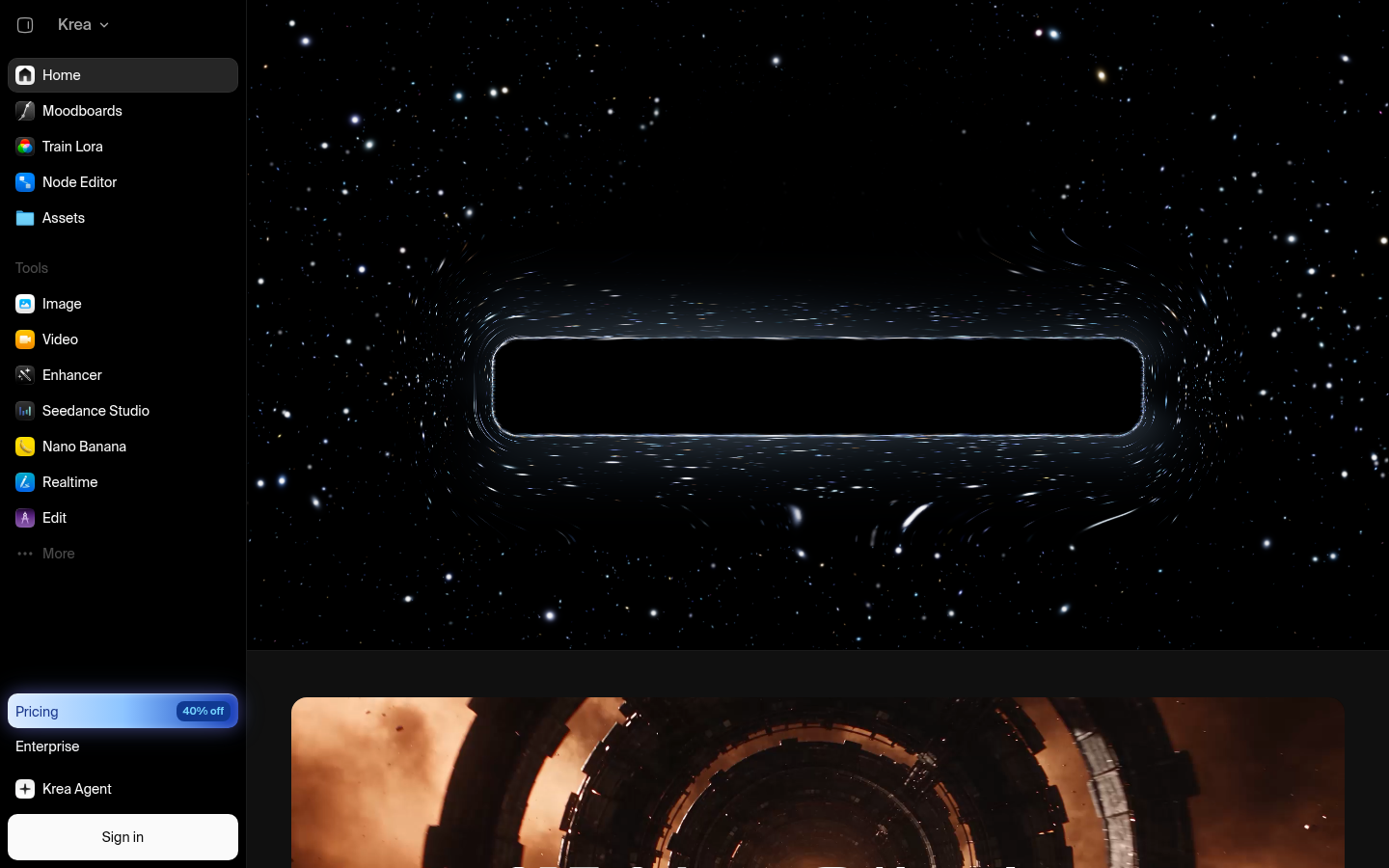
Krea AI is a creative platform for AI-driven image and video generation, editing, and enhancement. Users type prompts, drag in reference images, or start from moodboards to produce new visuals, then iterate using a node-based editor that supports non-linear, branching workflows. The platform supports personal LoRA training so users can generate content in a consistent custom style or likeness, and includes an "Enhancer" for upscaling and restoring image/video quality. A newer "Krea Agent" feature and template gallery (covering use cases like product design, logo generation, sticker packs, and world-building scenes) suggest the platform is expanding from a pure generation tool into a more automated creative assistant. Krea also ships companion mobile apps for iOS and Android, extending the web experience to on-the-go editing.
Key capabilities
- Multi-model image and video generation: Access to Krea's own models (e.g., Krea 2, Krea 2 Turbo) plus integrated third-party models such as Nano Banana Pro and GPT Image within one interface.
- Node editor for non-linear workflows: A visual, node-based canvas lets users chain generation, editing, and enhancement steps rather than working in a single linear prompt box.
- LoRA training: Users can train custom models on their own images to produce on-brand or personalized outputs repeatedly.
- Moodboards and templates: Pre-built, editable templates (product shots, logos, character/world-building scenes) and moodboard tools help structure creative direction before generating.
- Real-time preview and "Realtime" generation: Live-updating previews let users adjust prompts and parameters and see results without long render waits.
- Asset management and Enhancer: A dedicated asset library plus upscaling/restoration tools for cleaning up and scaling generated or uploaded media.
Pricing
Krea operates on a freemium model, offering free basic access to its generation and editing tools alongside paid premium tiers that unlock additional models, higher usage limits, or advanced features. Exact current plan names and limits were not confirmed in the available source material, so prospective users should check the live pricing page for up-to-date tier details and any usage-based credit costs tied to specific models (e.g., premium models like Nano Banana Pro or GPT Image).
Editorial review
Krea's strongest differentiator is breadth: rather than committing to one proprietary model, it aggregates its own image/video engines with popular third-party models (Nano Banana Pro, GPT Image, Seedance) in a single workspace, which is useful for teams that want to A/B test outputs across models without switching tools. The node editor and LoRA training push it beyond a simple "prompt box" generator toward a more professional, workflow-oriented tool — a meaningful step up for users who outgrow single-shot generators. The trade-off is complexity: the node-based canvas and expanding feature set (moodboards, agent features, templates, asset management) mean there's a steeper learning curve than minimalist single-purpose generators, and new users may need time to find the right entry point among the many modules. Mobile apps extend reach, but the core power-user workflows (node editor, training) are clearly designed for the web app first. Best-fit users are designers, marketing teams, and content creators who need repeatable, on-brand visual output at scale and are willing to invest time learning a more capable but denser interface. Solo hobbyists looking for a one-click image generator may find simpler, single-purpose tools faster to pick up, while teams needing multi-model flexibility and iterative refinement are likely to get more value out of Krea's broader toolset.