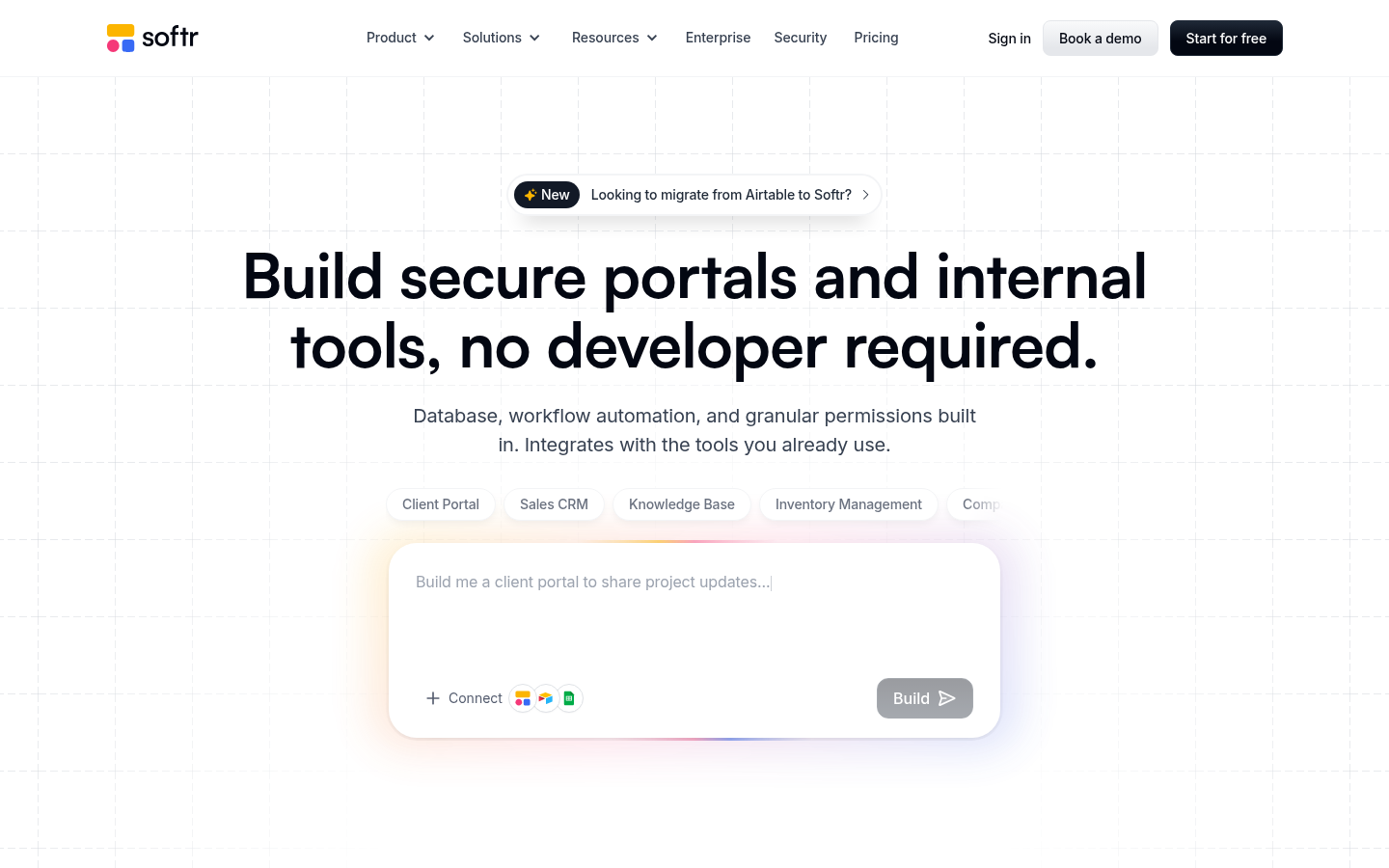
Softr is a no-code application builder aimed at businesses, operations teams, and founders who need to launch internal tools, client portals, and business apps without hiring engineers. It connects directly to data sources like Airtable, Google Sheets, and Supabase, then lets users assemble front-end interfaces on top of that data using drag-and-drop blocks. The core workflow is data-first: point Softr at an existing spreadsheet or database, pick a template, and customize the layout, user roles, and permissions to produce a working app in a short build cycle. It is positioned for teams replacing manual spreadsheet workflows or expensive custom development with a faster, visual alternative.
What it does
Softr lets non-developers build custom web applications—such as client portals, CRMs, internal dashboards, inventory systems, intranets, ERPs, and knowledge bases—by syncing directly with existing data sources rather than requiring a new backend. Users select from a library of pre-built templates covering common business use cases, then customize pages, forms, and user permissions through a visual editor. The platform emphasizes real-time data sync, meaning changes made in the connected Airtable base, Google Sheet, or Supabase table reflect in the live app without manual redeployment. Recent additions to Softr's positioning include AI-powered app generation, suggesting the builder can now assist in scaffolding app structure from a data source or prompt, in addition to manual drag-and-drop assembly. This makes Softr relevant to searches around "no-code internal tools," "Airtable app builder," and "client portal software without code."
Key capabilities
- Data source sync: Connects to Airtable, Google Sheets, Supabase, MySQL, PostgreSQL, and other databases, with changes reflected in the app in near real time.
- Template library: Provides ready-made templates for portals, CRMs, inventory management, intranets, dashboards, ERPs, and knowledge bases to shorten build time.
- User management and roles: Supports role-based permissions and access controls, relevant for building client-facing or employee-facing portals with restricted views.
- Third-party integrations: Works with automation tools such as Zapier, Make, and n8n, extending workflows beyond the core app builder.
- AI-assisted app building: Recent product direction includes generating AI-powered business apps, indicating a layer of automated scaffolding on top of the traditional drag-and-drop editor.
- Cross-platform delivery: Apps built in Softr run in the browser and are responsive for use on mobile devices, without requiring separate native app development.
Pricing
Softr follows a freemium model with a free tier available for getting started and paid plans required for more advanced features, higher usage limits, or additional users. Exact current plan names and price points are not confirmed in the available source material, so prospective users should verify tier details directly on the vendor's site before committing. A free trial is also referenced as part of the onboarding path for paid plans. Pricing page: View pricing
Editorial review
Softr's main strength is its data-first approach: rather than building a new database inside the tool, it treats Airtable, Google Sheets, and Supabase as the system of record and layers a customizable interface on top. This makes it a practical option for teams that already manage operations in spreadsheets and want a faster path to a usable app than a full custom build. The breadth of templates—covering portals, CRMs, inventory, intranets, ERPs, and knowledge bases—suggests the vendor is targeting a wide range of internal-tool use cases rather than a single niche.
The trade-off with any data-sync no-code builder is dependency on the underlying data source's limitations; complex relational logic or high-volume data may strain what Airtable or Google Sheets can handle, which in turn constrains what Softr can display or process. Buyers should also treat the AI app-generation features as an emerging capability rather than a fully proven differentiator, since the source material frames this as a newer addition rather than a long-established core feature.
Softr is best suited for small-to-mid-size teams, agencies, and solo operators who need a working internal tool or client portal quickly and are comfortable operating within the constraints of a spreadsheet-backed or lightweight database backend. It is less clearly suited for organizations with complex enterprise data models or those requiring deep custom backend logic, where a traditional development approach or a more code-flexible no-code platform may be preferable. Teams evaluating Softr should confirm current pricing tiers, user/seat limits, and data-source connector depth directly, since specific numbers were not verifiable from the available source content.