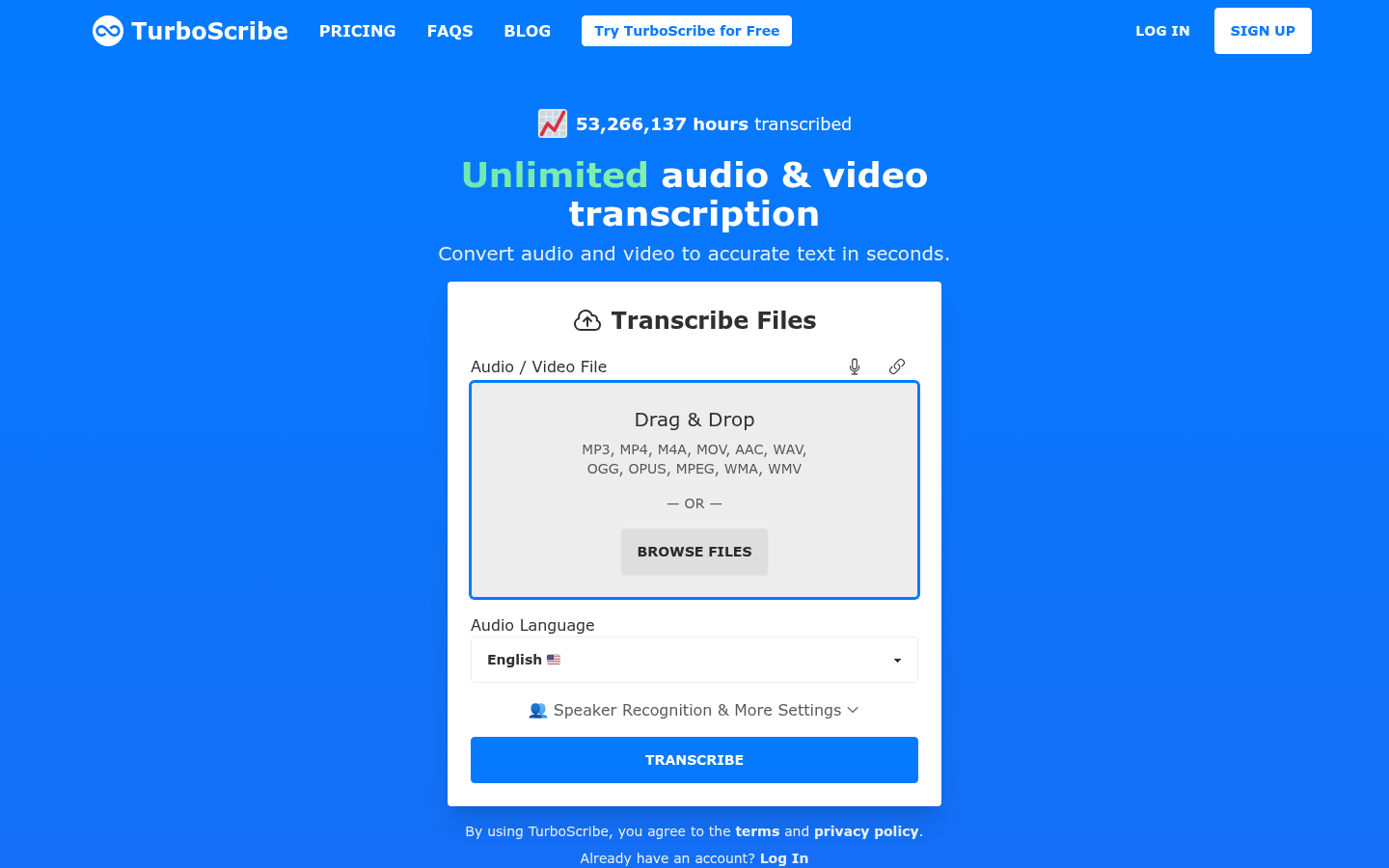
TurboScribe is an AI transcription tool built for content creators, educators, businesses, podcasters, and anyone who needs audio or video converted to accurate text quickly. It targets users who currently rely on manual transcription or slower services and need a faster, more accurate alternative that scales without per-minute caps. The core workflow is simple: upload or drag-and-drop an audio or video file, let the AI transcribe it, then export the result as text or subtitles. It's positioned as a browser-based service that requires no software installation, with mobile apps also available for on-the-go use.
What it does
TurboScribe converts speech in audio and video files into written text using AI-based automatic speech recognition. Users upload files such as MP3, MP4, or other common audio/video formats, and the service processes them to generate a verbatim transcript. The tool markets itself around speed ("seconds, not days") and accuracy, claiming 99.8% transcription accuracy across 98+ languages. It's built for use cases like transcribing interviews, meetings, podcasts, lectures, and video content, and for generating subtitle files for video creators. The stated differentiator is unlimited transcription minutes with no caps or quotas, distinguishing it from many competitors that charge or limit usage by audio duration.
Key capabilities
- Fast AI transcription: Converts uploaded audio or video files into text within seconds rather than the hours or days typical of manual transcription services.
- Multi-language support: Handles 98+ languages, making it usable for international content creators, researchers, and multilingual teams.
- Multiple export formats: Transcripts and subtitles can be downloaded as DOCX, PDF, TXT, or SRT subtitle files, covering both document and video-captioning workflows.
- No account required for quick use: Users can start transcribing by simply selecting or dragging a file, lowering the barrier for first-time or occasional users.
- Unlimited transcription minutes: The service is described as having no caps or quotas on transcription length, positioned as a key differentiator versus competing transcription tools.
- Cross-platform access: Available as a web app plus iOS and Android apps, allowing transcription workflows to extend to mobile capture and review.
Pricing
TurboScribe follows a freemium model. A free tier allows a limited number of transcripts per day without requiring an account, based on the site's messaging around free daily transcripts. Paid plans unlock additional usage and features, with the extracted starting price referenced as approximately $9/month, though exact plan names, limits, and feature breakdowns were not fully detailed in the available source content. Prospective users should verify current plan tiers and limits directly on the TurboScribe pricing page before committing, since public messaging emphasizes "unlimited" minutes primarily as a paid-tier benefit rather than a guarantee across the free tier.
Editorial review
TurboScribe's main selling points are speed and a genuinely low-friction entry point: no sign-up is required to try the free tier, and the drag-and-drop upload flow removes typical onboarding friction found in transcription SaaS products. The claimed 99.8% accuracy figure and "unlimited minutes" positioning are strong marketing hooks, but as with most AI transcription tools, real-world accuracy will vary by audio quality, accents, background noise, and speaker overlap — prospective users should treat vendor-stated accuracy numbers as best-case figures rather than guarantees. The breadth of export formats (DOCX, PDF, TXT, SRT) is a practical strength for users who need transcripts for both documentation and video subtitle work, avoiding the need for a separate captioning tool. Language coverage across 98+ languages is a meaningful advantage for non-English content creators and international teams, assuming per-language accuracy holds up, which isn't independently verifiable from the source material. The lack of detailed information on speaker diarization, timestamp granularity, editing tools, and team/collaboration features in the available content is a notable gap — buyers evaluating TurboScribe against dedicated transcription platforms should confirm these capabilities directly. Overall, TurboScribe looks best suited to individual creators, students, journalists, and small teams who need fast, no-frills audio-to-text conversion and subtitle generation without heavy per-minute pricing, rather than enterprises needing advanced compliance, security certifications, or deep workflow integrations.