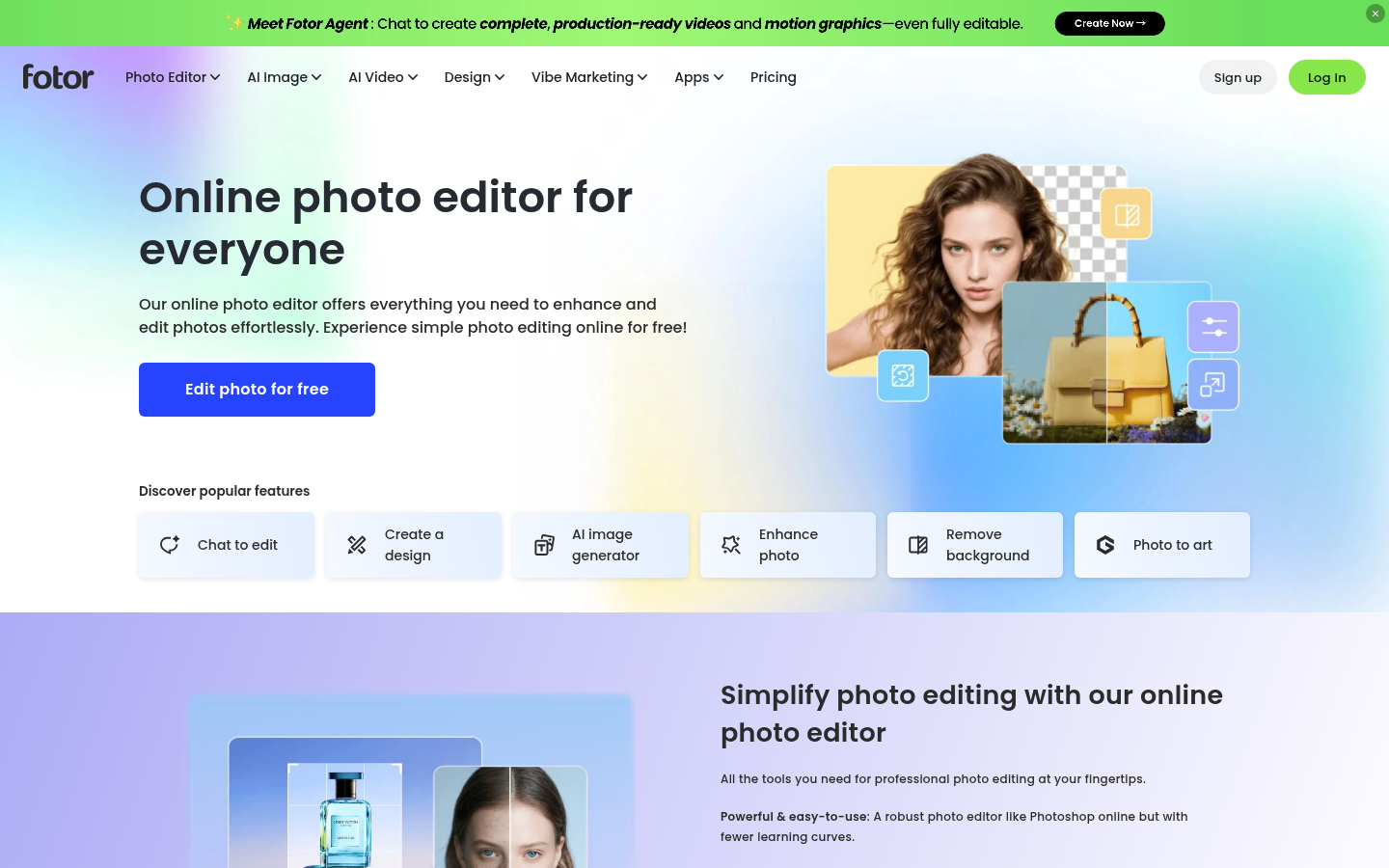
Fotor is an online photo editing and graphic design platform built for social media users, photographers, small business owners, and designers who need fast, browser-based image editing without installing desktop software. It combines traditional editing tools like cropping, retouching, and filters with AI-driven features such as background removal, object removal, and text-to-image generation. The main workflow centers on uploading an image, applying one or more AI or manual edits, and exporting the result for social posts, marketing materials, or personal use. Fotor positions itself as an all-in-one hub for photo enhancement, collage making, and lightweight graphic design, rather than a specialized single-purpose tool.
What it does
Fotor is a free online photo editor and AI image toolkit accessible through a web browser, with companion iOS and Android apps for editing on mobile devices. It targets casual users who want quick fixes for social media photos as well as photographers and designers who need batch enhancement, retouching, or background editing without opening Photoshop. Core use cases include upscaling and sharpening blurry images, restoring and colorizing old photos, removing backgrounds or unwanted objects, generating images from text prompts, and assembling multi-photo collages. The product bundles dozens of discrete tools (resize, crop, watermark remover, image translator, AI hairstyle changer, and more) into a single editing interface, making it a broad-spectrum image editing suite rather than a niche app.
Key capabilities
- AI photo enhancement: Tools for unblurring, sharpening, upscaling (up to 4x), colorizing black-and-white photos, and restoring old or damaged images.
- Background and object editing: One-click background removal and replacement, object removal, person removal, and watermark/text removal from images.
- Generative AI features: Text-to-image generation, AI headshot creation, image extension, and style transformations such as photo-to-anime, photo-to-cartoon, and photo-to-sketch.
- Collage and design tools: A collage maker plus access to design templates and assets for turning edited photos into finished social posts or marketing graphics.
- Portrait retouching: Dedicated retouching tools for polishing portraits, alongside an AI age progression feature for previewing how a face might look at a different age.
- Cross-platform access: Editing available via web browser and dedicated iOS/Android mobile apps, with cloud storage and device sync included on paid tiers.
Pricing
Fotor operates on a freemium model: core editing tools are available for free with usage limits, while paid Pro, Pro+, and Max plans unlock higher credit allowances, more concurrent AI generations, AI Agent chat/task quotas, expanded cloud storage (ranging from 2GB to 500GB depending on tier), exclusive AI batch editing (background removal and replacement), and multiple brand kits. Exact credit amounts and monthly prices are not fixed on the pricing page and depend on billing configuration at checkout. Pricing page: View pricing.
Editorial review
Fotor's main strength is breadth: it packs enhancement, retouching, background editing, generative AI, and collage/design tools into one browser-based interface, which suits users who want a single destination for varied image tasks rather than juggling multiple single-purpose apps. The free tier appears functional enough for occasional editing and quick AI-assisted fixes, which is useful for social media users and small business owners without design budgets. The trade-off is that a tool covering this many functions may not match the depth or precision of specialized editors (for example, dedicated background removers or AI upscalers) for professional or high-volume workflows. The tiered Pro/Pro+/Max structure with credits, concurrent generation limits, and AI Agent task caps suggests heavier AI usage — batch background editing, high-volume image generation, or team-level brand kits — will require a paid plan, and prospective users should check current credit and storage limits directly on the pricing page before committing. Fotor is best suited to individual creators, marketers, and photographers who need fast, good-enough edits and AI-assisted enhancements in a browser, and less suited to studios requiring pixel-level control or advanced non-destructive editing pipelines.