
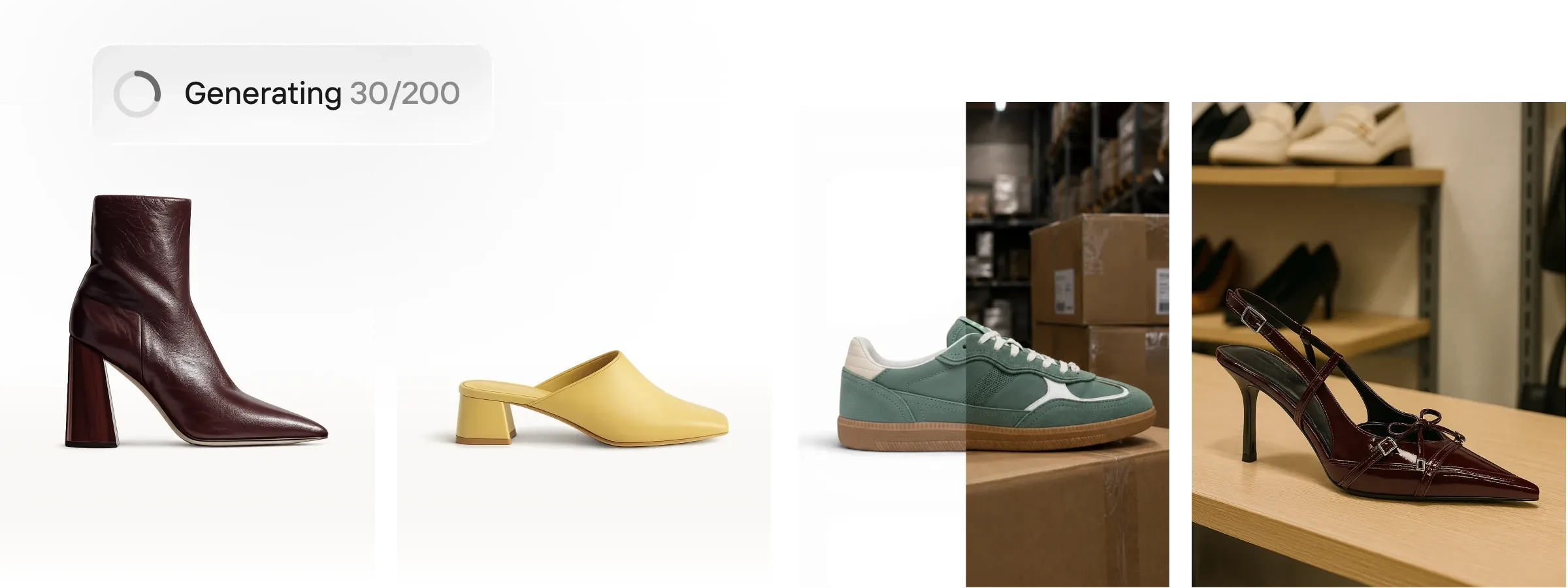
Photoroom is an AI-powered photo editing and image production platform built for e-commerce sellers, product photographers, and social media creators who need marketplace-ready visuals without a studio setup. It is used by businesses ranging from solo sellers to large enterprise catalogs to remove backgrounds, generate lifestyle-style product scenes, and republish images across multiple sales channels. The core workflow revolves around uploading a raw product photo, applying AI edits, and exporting formatted images for platforms like Shopify, Amazon, and Instagram. Photoroom is available as a web app, iOS app, and Android app, and also exposes an Image API for developers who want to automate visual production at scale.
What it does
Photoroom functions as an AI photo editor and visual production tool focused on solving a specific e-commerce problem: producing consistent, professional-quality product images quickly across large catalogs and multiple marketplaces. Instead of booking a studio shoot, sellers photograph a product with a phone or camera and use Photoroom to remove the background, add realistic shadows, place the item into a styled or lifestyle scene, and resize the result for different platforms. The product targets growing brands that need to list faster than competitors, as well as scaling businesses and enterprise teams that need batch processing, brand consistency, and API-driven automation across thousands of SKUs.
Key capabilities
- Background removal: Automated background detection and removal positioned as fast and precise, suitable for isolating products from cluttered or inconsistent source photos.
- Batch editing: Applies AI edits across thousands of images in a single pass, either through the web app or the Image API, without requiring custom queue infrastructure on the user's side.
- AI Product Photography and Product Staging: Generates studio-style product visuals and places products into lifestyle or seasonal scenes without a physical photo studio.
- AI Shadow and Recolor: Adds natural-looking shadows for realism and allows instant recoloring of product variants for catalog updates.
- Instant Resize and Video Templates: Converts a single image into multiple marketplace-specific formats (Instagram, Amazon, Shopify, etc.) and turns product shots into short campaign videos for Reels, TikTok, and Stories.
- Brand Kit and Marketplace Sync: Locks in brand colors, logos, and layouts so output stays consistent, and publishes images directly to Shopify and other marketplace feeds.
- Image API and Enterprise tier: Offers developer-facing endpoints for automated image production, with an Enterprise plan adding custom models, dedicated capacity, custom endpoints, SLA-backed uptime, and SOC 2 Type 2 compliance.
Pricing
Photoroom follows a freemium structure with a free tier for individual use and paid plans for higher-volume or API-driven needs. On the API side, pricing is tiered into a Basic plan (free to try, covering background removal, cropping/resizing, color backgrounds, and green screen despill), a Plus plan (adds AI Backgrounds, AI Shadows, AI Expand, ghost mannequin, virtual try-on, and other AI editing capabilities), and an Enterprise plan requiring annual commitment with a 200K image minimum, volume-based discounts, and dedicated onboarding support. A sandbox mode allows building and prototyping with a limited number of free images before committing to a paid tier. Exact consumer app subscription pricing beyond the free tier was not clearly specified in the reviewed material. Pricing page: View pricing
Editorial review
Photoroom's strongest positioning is around volume: it is built less as a one-off background remover and more as an image production pipeline for sellers managing many SKUs across many channels. The batch editing, Marketplace Sync, and Image API features suggest genuine investment in automation rather than just single-image touch-ups, which differentiates it from simpler background-removal apps. The tiered API structure (Basic to Plus to Enterprise) gives technical teams a reasonably clear upgrade path, and the SOC 2 Type 2 and enterprise SLA details indicate the product is being pitched credibly to larger commerce operations, not only casual sellers.
The trade-off is that consumer-facing pricing specifics are not fully transparent from the marketing pages, and users evaluating cost for a small catalog will need to check the app or API pricing pages directly rather than relying on headline figures. AI-generated product staging and virtual model/try-on features are promising for reducing studio costs, but as with any generative AI output, results likely vary by product category and may need spot-checking for accuracy, especially for enterprise catalogs prioritizing brand fidelity. Overall, Photoroom looks best suited to e-commerce sellers and growing DTC brands who need faster, cheaper alternative to traditional product photography, and to development teams that want to integrate image editing directly into their commerce or marketplace-sync pipelines via API.