
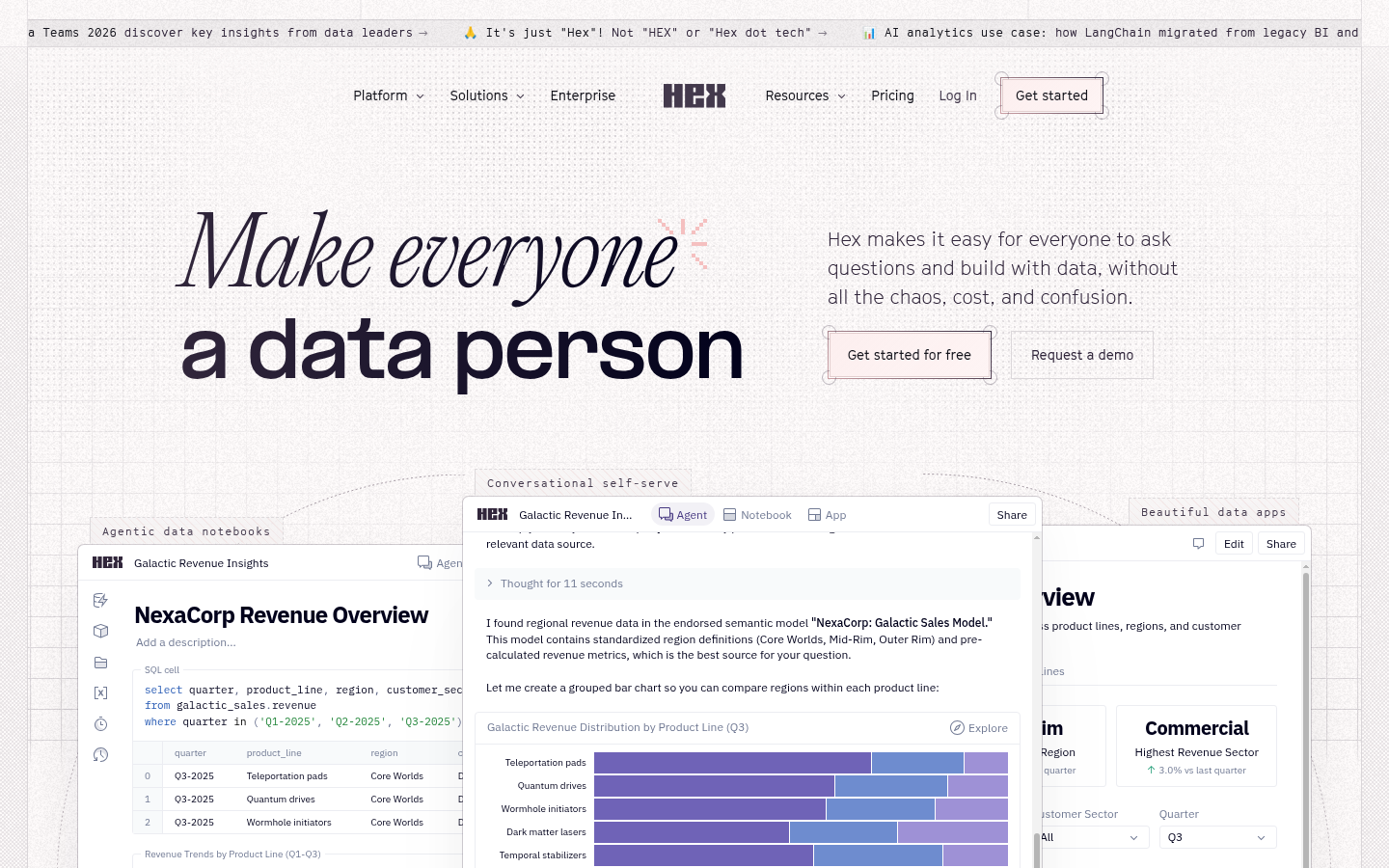
Hex is a collaborative data analytics platform built for data analysts, data scientists, and business teams who need to query, visualize, and share data insights without juggling separate BI tools, notebooks, and dashboard builders. It combines a notebook-style workspace, an AI agent, and an app builder in one product, letting teams move from a raw question to a published, interactive data app in the same environment. The platform is aimed at organizations that want self-serve analytics without sacrificing governance, and its stated goal is to let non-technical users ask data questions directly while technical users retain full SQL/Python control.
What it does
Hex is a web-based data workspace that lets users write SQL and Python in notebook cells, ask questions in natural language through a built-in AI agent, and turn the results into polished, interactive apps or dashboards for others to consume. The core workflow starts with connecting a data source, then exploring data through code cells or agent chat, and finishing by publishing a shareable app with filters, charts, and drill-downs. This addresses a common problem for data teams: analysis often lives in disconnected notebooks that never reach business stakeholders in a usable form. Hex is positioned to close that gap by combining exploratory analysis and end-user-facing app delivery in a single tool, targeting teams at companies like Notion, ClickUp, and Reddit that need governed self-serve analytics rather than one-off scripts emailed around.
Key capabilities
- Agentic AI analysis: A built-in agent can pull data, generate SQL/Python, build charts, and answer follow-up questions conversationally, with visible reasoning steps and semantic model awareness.
- Notebook-to-app workflow: The same notebook used for exploration can be published directly as an interactive app with minimal rework, supporting comments and version history.
- Mixed-language cells: SQL and Python cells can be combined in one notebook, supporting both technical data science workflows and lighter-weight ad hoc queries.
- Scheduled runs and alerts: Notebooks and apps can be scheduled to refresh automatically, with alerting for teams that need recurring reporting rather than one-time analysis.
- Governance and context management: Enterprise features cover semantic model/context setup, audit logs, OAuth/OIDC SSO, and controls aimed at reducing AI token spend and avoiding lock-in to a single model provider.
- Stack integrations: The product connects to existing data warehouses and workplace tools, with mentions of integrations spanning common data sources and collaboration tools like Notion and Figma.
Pricing
Hex uses a tiered, freemium structure. The Community plan is free and includes a trial of the Hex agent, connection to any data source, all cell types, and small compute. The Professional plan is a paid per-editor monthly plan adding the full Hex agent, standard credits, a limited number of published apps, and 30-day version history. Team and Enterprise plans are also per-editor (or custom-priced for Enterprise) and add unlimited published apps, scheduled runs/alerts, shared components, advanced compute add-ons, and enterprise security features such as SSO, audit logs, and bring-your-own-key model options. Compute is billed separately by profile size for paid plans beyond the included tiers. Pricing page: View pricing
Editorial review
Hex's strongest differentiator is collapsing three typical BI-stack roles—notebook, AI query assistant, and app/dashboard builder—into one continuous workflow, which reduces the handoff friction common when analysts build in one tool and publish in another. The mixed SQL/Python notebook format and agent-driven chat make it flexible for both technical and non-technical users, and enterprise controls like audit logs, SSO, and BYOK signal it is built with regulated or security-conscious organizations in mind, not just small teams. The free Community tier is a reasonable way to evaluate core notebook functionality before committing, though full agent access, unlimited published apps, and scheduled runs are gated behind paid Team/Enterprise tiers, which matters for teams planning to distribute apps broadly rather than use Hex internally. Compute is billed per-minute on top of subscription costs for larger workloads, so teams running heavy Python/data science jobs should budget for that separately from per-editor licensing. Best-fit users are data teams at mid-size to large companies that already have a warehouse and want a single place to explore data with AI assistance and ship the result as an internal-facing app; solo analysts or very small teams may find the per-editor Team/Enterprise pricing steep relative to lighter dashboarding tools. Missing from the public material is detail on model choice specifics and exact credit consumption, so teams with heavy AI usage should clarify token/credit costs before scaling adoption.