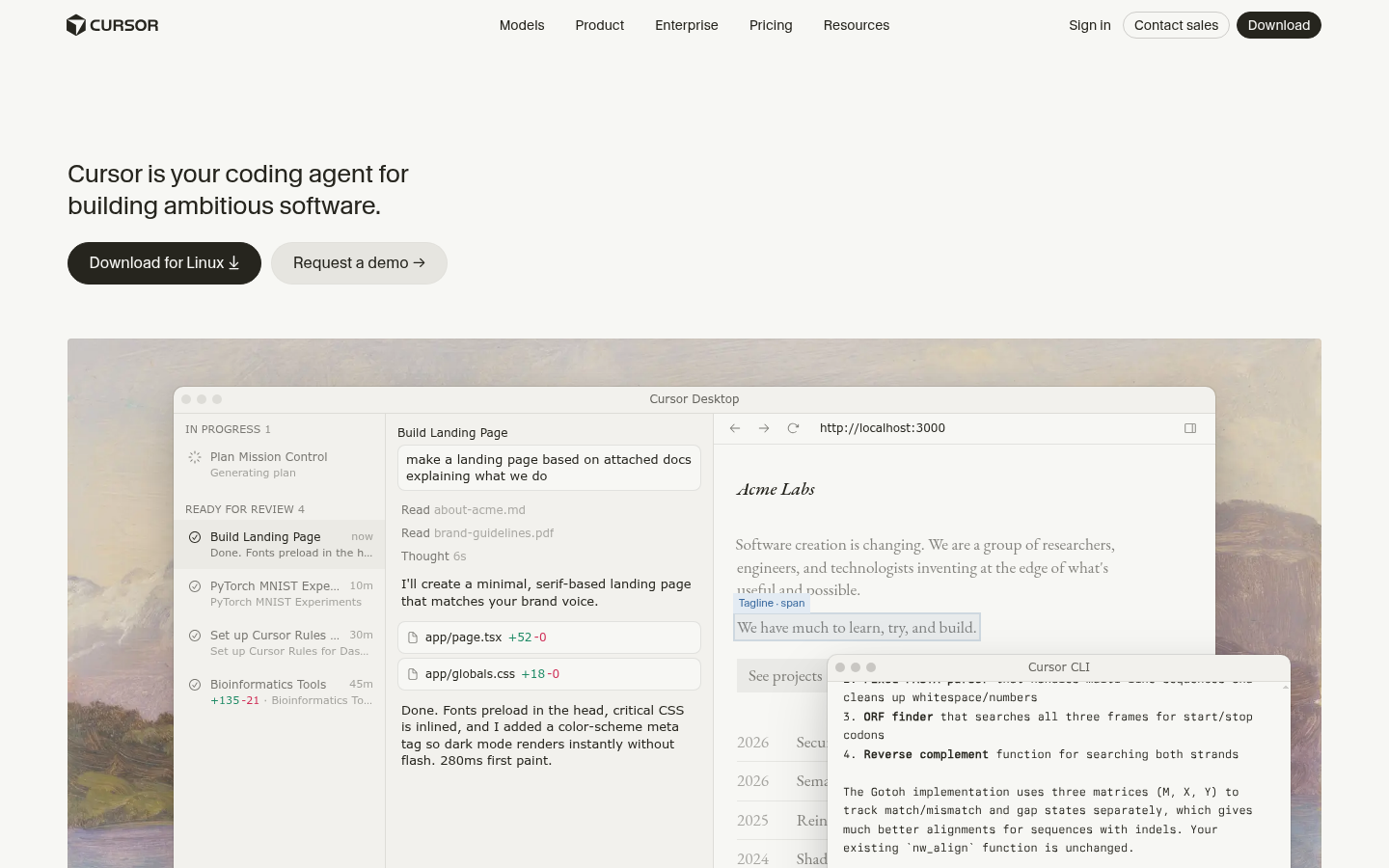
Cursor is an AI-powered code editor and coding agent built for software developers, engineering teams, and startups that need to ship code faster without sacrificing control over their codebase. It is delivered as a standalone desktop application (available for macOS, Windows, and Linux) rather than a plugin bolted onto an existing editor, positioning itself as a full replacement for traditional IDEs. The core workflow centers on handing off coding tasks—writing features, fixing bugs, setting up configurations, running experiments—to an AI agent that reads the project, plans the work, and executes changes that a developer can review before merging. Cursor is aimed at individuals and teams already comfortable working in a code editor who want an AI layer that operates across multiple files and tasks in parallel, not just single-line autocomplete.
What it does
Cursor functions as an AI coding agent embedded directly inside a code editor, designed to let developers describe a task and have the agent read relevant files, generate a plan, and produce working code changes. Instead of only suggesting the next line, Cursor can take on larger units of work—such as building a landing page, writing project rules, or running data experiments—and track progress through stages like "In Progress," "Ready for Review," and completed states, similar to a lightweight project board built into the coding workflow. This makes it relevant for use cases ranging from solo developers prototyping ambitious side projects to engineering teams distributing agent-driven tasks across a shared repository ("All Repos" tracking) so that reviewers can see agent activity and outcomes before code is merged.
Key capabilities
- Multi-task agent execution: Cursor can run multiple coding agents concurrently on different tasks (e.g., building a landing page while another agent sets up configuration files), each tracked with status and elapsed time.
- Cross-repo visibility: A repository-level view lets teams monitor agent activity and changes across "All Repos," supporting collaborative review rather than single-file, single-developer editing.
- Task-based workflow interface: Work is organized into stages (in progress, ready for review, completed), giving a project-management-style layer on top of raw code generation.
- Native desktop application: Cursor ships as a downloadable desktop app for macOS, Windows, and Linux, functioning as a full code editor rather than an add-on to another IDE.
- CLI interface: Alongside the desktop app, Cursor offers a command-line interface, enabling agent-driven coding tasks to be triggered outside the graphical editor.
- Changelog and update tracking: The product surfaces recent highlights and changelog entries, indicating active, frequent iteration on agent behavior and features.
Pricing
Cursor uses a freemium model. A free "Hobby" plan is available at $0, with paid tiers including "Pro" at $20/month, "Pro+" at $60/month, "Ultra" at $200/month, and a "Teams" plan at $40 per seat, according to Cursor's own pricing page. Paid plans include a set amount of included model usage, with additional on-demand usage billed afterward. An Enterprise option exists for organizations needing invoicing, pooled usage, or advanced security controls, though exact enterprise pricing is not published. Pricing page: View pricing.
Editorial review
Cursor's main differentiator is treating AI assistance as an agent that owns a task end-to-end, rather than a suggestion engine limited to inline completions—the task-board-style interface (in progress, ready for review) and cross-repo tracking suggest a genuine attempt to make agent output auditable in a team setting, not just a solo productivity trick. Shipping as a full desktop editor with a companion CLI gives it more surface area than browser-based or plugin-only competitors, but it also means adoption requires migrating away from an existing editor rather than layering AI onto one already in use. The tiered pricing (Hobby through Ultra, plus Teams and Enterprise) signals a clear intent to monetize heavy agent usage, which is reasonable given the underlying model costs, but usage-based billing beyond included quotas means costs can scale unpredictably for high-frequency users. The product is best suited to developers and teams already running multi-repo projects who want to delegate well-defined coding tasks and review results collaboratively, rather than beginners looking for a simple autocomplete tool. Missing from the available material is detail on specific supported languages, model choices, or security/compliance certifications, which prospective enterprise buyers will likely want to verify directly before committing.