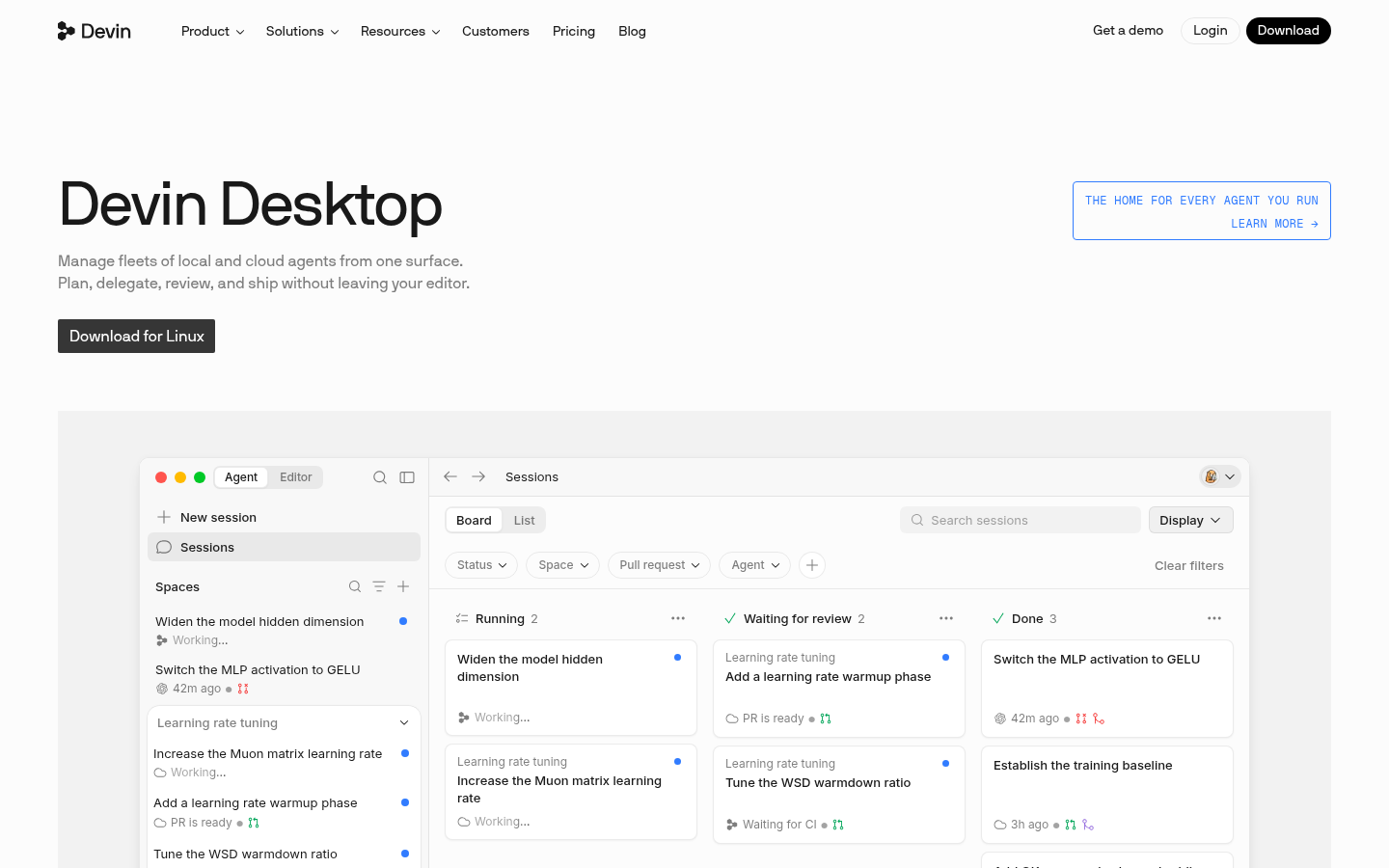
Devin Desktop is a standalone desktop application from Cognition built for software engineers and technical teams who work with multiple AI coding agents at once. Rather than switching between browser tabs, terminals, and chat windows, engineers use Devin Desktop as a single surface to plan tasks, delegate them to agents, review the resulting code, and ship changes. It targets teams already running background agents, local coding assistants, and cloud-based agent workflows who need a shared place to coordinate them with consistent context.
What it does
Devin Desktop functions as a control center for orchestrating both local and cloud-based AI agents from one interface. It combines IDE-like functionality — inline edits, tab completions, and code review — with agent management features, so an engineer can dispatch a task to an agent, monitor its progress, and merge the result without leaving the desktop app. The product supports "Agents on ACP" (Agent Communication Protocol), meaning it isn't limited to a single vendor's agent; it can coordinate multiple agent types and models side by side, including Devin's own SWE-2 model alongside frontier models from other providers. This positions it less as a single chatbot and more as a workspace for managing an entire team of agents working on different parts of a codebase simultaneously.
Key capabilities
- Multi-agent orchestration: Run and monitor several local and cloud agents concurrently, with shared context so agents and humans work from the same understanding instead of repeating setup work.
- In-editor workflow: Inline code edits, unlimited tab completions, and code review happen inside the same desktop surface used to dispatch agents, reducing context switching.
- Model flexibility: Access to multiple model providers (OpenAI, Claude, Gemini, and others) plus Devin's own SWE-2 model, with plan-based quotas controlling availability.
- Custom background agents: Support for organization-specific background agents (as referenced by enterprise adopters), allowing companies to extend their own agent logic across every engineer's machine.
- Tool and platform integrations: Native connections to developer stack tools including Slack, Microsoft Teams, Linear, Jira, GitHub, GitLab, Bitbucket, and code-quality tools like ESLint, Prettier, and language servers (rust-analyzer, gopls, clangd, Pyright).
- Team and enterprise administration: Centralized billing, admin dashboards with usage analytics, SAML/OIDC SSO, and dedicated account support for larger deployments.
Pricing
Devin Desktop uses a tiered subscription model. A Free plan offers a light usage quota with limited model availability and unlimited inline edits and tab completions. The Pro plan is $20/month and adds increased quotas, full model availability, cloud agent access, and free SWE-2 usage through October 2026. A Max plan at $200/month raises quotas significantly further. Team plans start at $80/month plus $40/month per full developer seat, supporting up to 200 users with shared collaboration and centralized billing. An Enterprise plan is available with custom pricing for dedicated deployment, SSO, and priority support. Pricing page: View pricing.
Editorial review
Devin Desktop's strongest differentiator is its emphasis on multi-agent coordination rather than single-agent assistance — the ACP-based design and endorsements from engineering teams at Ramp, Harvey, NVIDIA, and Modal suggest genuine enterprise interest in managing agent fleets, not just one AI pair programmer. The tiered pricing structure, with a usable free tier and clear jumps to Pro, Max, and Team plans, gives it a fairly transparent on-ramp compared to opaque enterprise-only agent tools. That said, the source material leans heavily on customer testimonials and feature lists rather than hard performance benchmarks, so claims about coordination quality and context-sharing across agents are best verified through hands-on trial. The product appears best suited to engineering teams already juggling multiple AI coding agents and looking to consolidate them, rather than individual developers seeking a single lightweight assistant; solo users may find the Free or Pro tier's quotas restrictive if they lean on multiple frontier models regularly. Teams with existing Jira, Linear, or Slack-centric workflows are likely to see the smoothest onboarding given the built-in integrations.